Nissan Tekton Generator
Generate professional SUV campaign prompts with Face/Subject-Lock technology.
How to Make AI Image with Nissan Tekton Car: A Step-by-Step Guide
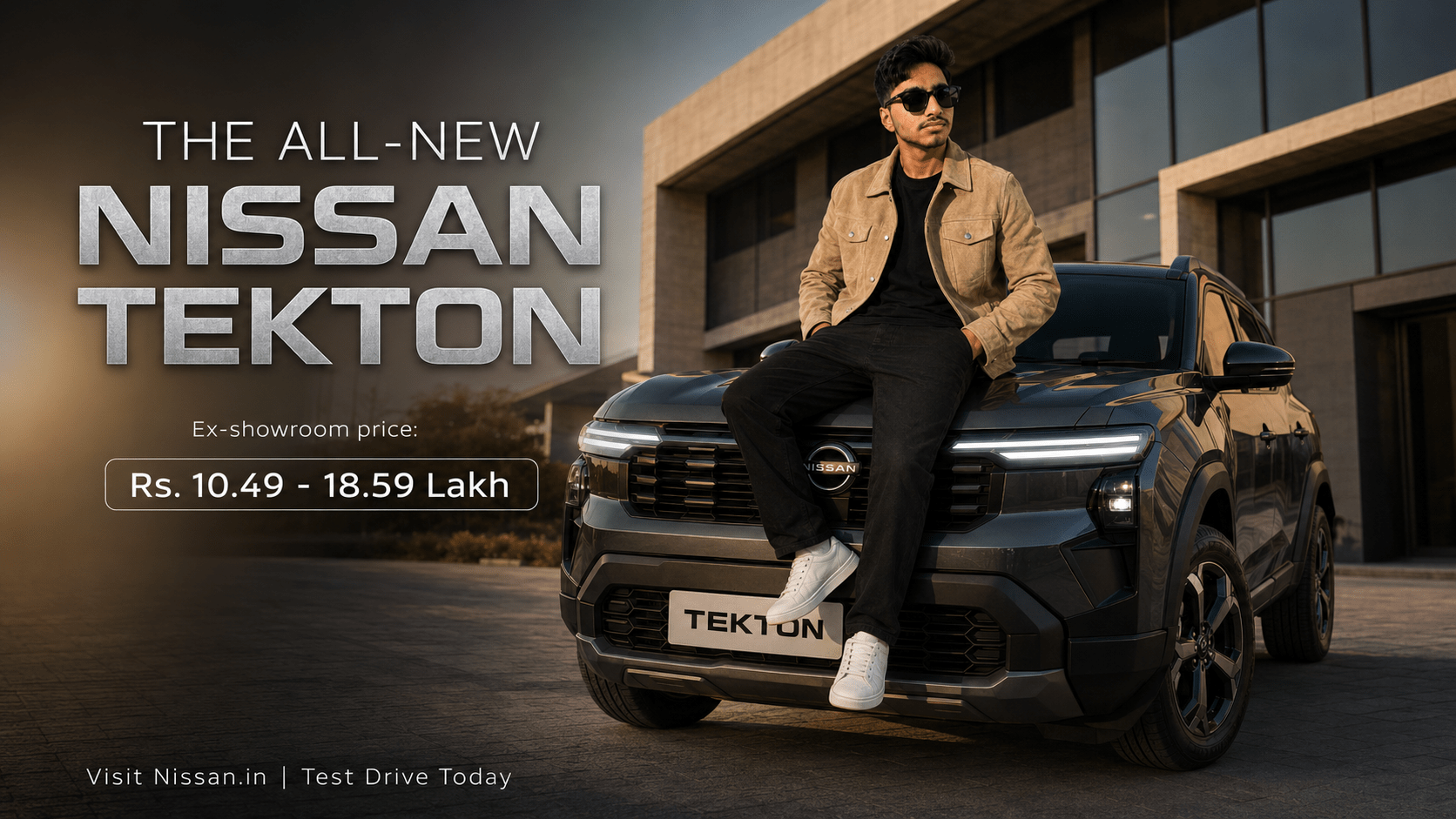
The launch of the Nissan Tekton has set a new benchmark in the compact SUV segment. For marketers and enthusiasts alike, capturing the rugged silhouette and modern LED light bar of this vehicle in digital campaigns is essential. But if you’ve struggled to get the perfect shot, you might be asking: how to make ai image with nissan tekton car that actually looks professional and consistent?
Traditional photoshoots are costly and time-consuming. Fortunately, the new wave of AI generation tools allows you to create editorial-grade imagery from your desk. Here is how you can master the process.
The Secret to Consistency: Subject-Lock Technology
The biggest mistake most people make when generating AI automotive images is using simple, free-form text prompts. This leads to generic results that don’t look like the actual Nissan Tekton.
To get a professional result, you need Subject-Lock (or Character Reference) technology. This process uses a high-resolution “Anchor Image” of the vehicle as the reference point, ensuring the AI respects the specific design lines, colors, and branding of the Tekton rather than hallucinating a generic SUV.
How to Make AI Image with Nissan Tekton Car (Step-by-Step)
Follow these steps to create your own high-conversion campaign assets:
1. Select Your Anchor Image
Choose a high-resolution, well-lit photo of the Nissan Tekton. This acts as your source of truth. The AI will look at this image to understand the car’s body shape, lighting, and metallic textures.
2. Use a Specialized Campaign Generator
Avoid generic tools. Use a dedicated Nissan Tekton Campaign Generator that is pre-programmed with automotive-specific terminology (e.g., “Patrol-inspired silhouette,” “LED light bar,” “editorial lighting”). This ensures the AI understands the nuance of the vehicle’s design.
3. Apply the Subject-Lock Instruction
This is the most critical step. When you paste your prompt into an AI tool like Gemini or Midjourney, ensure your instructions include a specific directive:
Place Your Ad on adliko.com
Directly chat with us to book this space and grow your brand visibility.
 Chat on WhatsApp
“[CRITICAL: Use the attached photo as the exact Subject/Character Reference. Maintain the Nissan Tekton’s design lines exactly as in the reference image.]”
4. Refine the Environment
Now, set the scene. Do you want your Tekton in an urban cityscape or an off-road forest trail? Use your generator to select the environment, and the AI will blend the car from your Anchor Image into the new background while maintaining perfect lighting and scale.
Why This Method Wins
When you learn how to make ai image with nissan tekton car using this workflow, you aren’t just creating a picture—you are scaling your marketing. You can generate daily promotional content, test different background locations, and include diverse brand ambassadors, all while keeping the vehicle looking identical across every single frame.
Start Generating Your Campaign
The Nissan Tekton is a powerhouse of design, and your marketing should reflect that. Stop relying on stock photos or expensive studio rentals. By using AI Subject-Lock technology, you can create high-impact, professional automotive photography that builds trust and drives conversion.
Ready to create your first asset? Try our Nissan Tekton Campaign Generator to get your perfect prompt in seconds.